One public identity
Customers call or text the business number rather than a collection of employee and location numbers.

Business voice & texting · Northern New Jersey
Business communications should help customers reach the right person and help employees respond professionally from wherever work happens.

Start with the caller
That question is more useful than beginning with extensions or handsets. A small office, mobile field team, multi-location business, and shared customer-service desk each need a different answer—even if they use the same underlying platform.
TechBoot maps the customer journey, employee responsibilities, business hours, existing numbers, and network readiness before planning the technical rollout. The result is a communications system shaped around real conversations.
Example: one business identity
A customer reaches one recognizable business number. Calls can follow schedules, menus, groups, and availability; texts can be handled by the employees responsible for the relationship; and office, remote, and mobile users can respond through the device appropriate to their work.
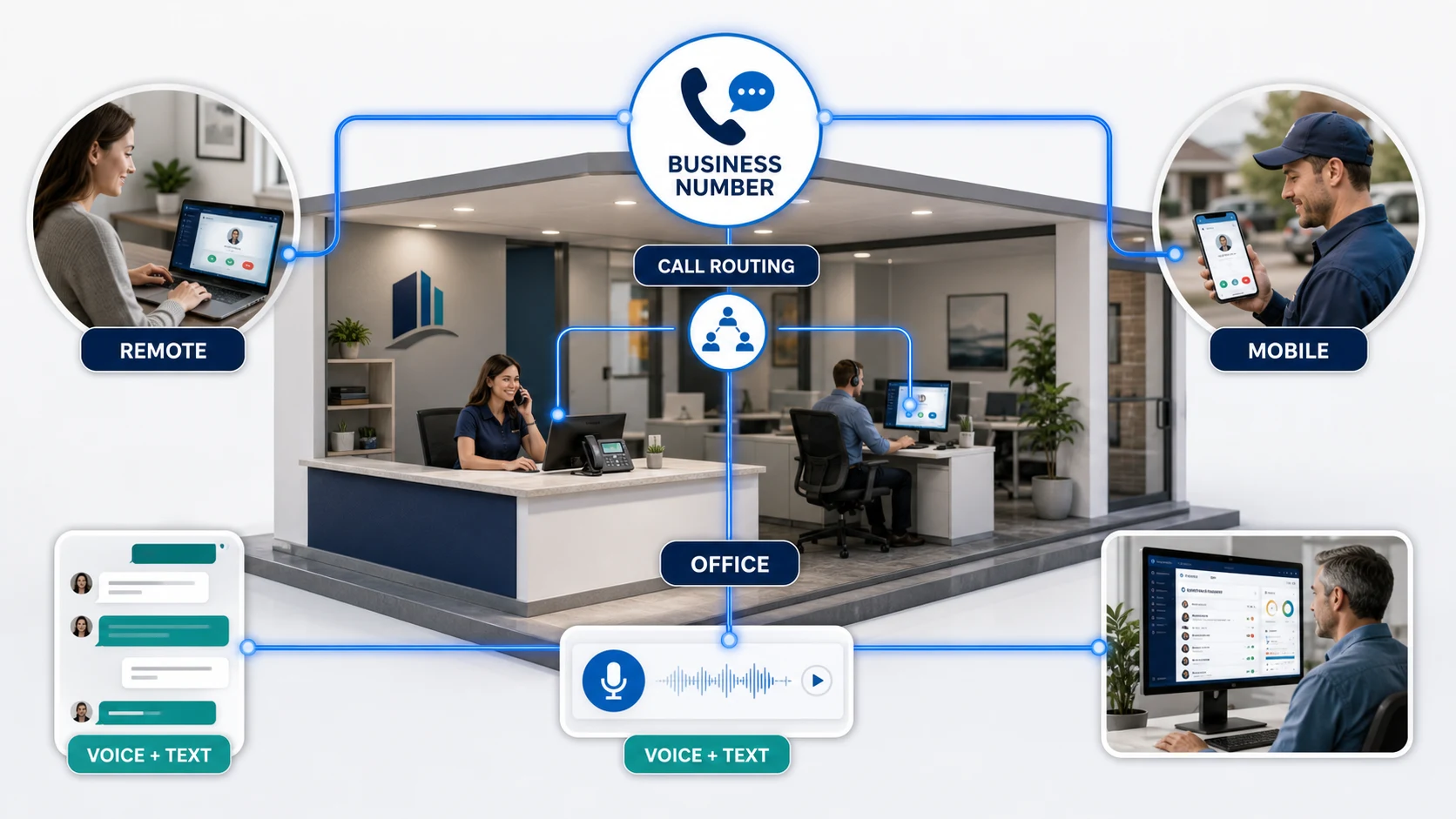
Customers call or text the business number rather than a collection of employee and location numbers.
Automated attendants, schedules, groups, and rules help the conversation reach the right person or destination.
Employees can use desk phones, desktop applications, or mobile applications without exposing personal numbers.
Voicemail, call history, shared texting, and follow-up tools help the business retain responsibility for the conversation.
A practical UCaaS platform
Gemini Lines gives small businesses access to unified communications capabilities without requiring every client to buy every feature. TechBoot helps determine which functions support the operation, then scopes the service and implementation accordingly.
Advanced functions and integrations are enabled case by case and confirmed in the proposal. Business texting also requires appropriate registration, consent practices, and usage planning.
Use a local or transferred business number through mobile and desktop applications, optional desk phones, voicemail, call history, and contacts.
Build automated attendants, open and closed schedules, holiday behavior, call groups, shared lines, transfers, and more advanced routing when the workflow requires it.
Send and receive SMS and MMS from the business number, share customer conversations across authorized employees, exchange attachments, and keep follow-up visible.
Add capabilities such as call recording, voicemail transcription, fax, expanded reporting, Microsoft Teams connectivity, integrations, or call-center functions where they fit.
Before a number moves
Established phone numbers, published business hours, call queues, voicemail boxes, fax lines, door systems, alarms, and internet connectivity can all affect a communications change. We inventory those dependencies before choosing a migration date or promising that every line can be treated the same way.
The current system also contains useful evidence. Missed-call patterns, common transfers, after-hours behavior, and employee workarounds help reveal where customers become frustrated and where a simpler call flow can improve the day for both callers and staff.
Number transfers are coordinated rather than assumed. We confirm ownership information, document what is moving, establish temporary routing or fallback options where appropriate, and validate inbound and outbound service after the change.
Decide what should happen during business hours, after hours, when a team is busy, and when no one is available. Menus and routing rules should reduce effort—not create a maze.
Review internet reliability, firewall behavior, switching, Wi-Fi, power, and device placement so voice quality is supported by the environment underneath it.
Match desk phones, desktop applications, mobile access, shared lines, and permissions to how owners, office employees, field teams, and occasional users actually work.
Configure, test, document, and explain the system before employees are expected to depend on it. Early follow-up catches routing and workflow details that only become visible in normal use.
Questions worth answering
If a customer leaves a voicemail, who owns the response and how quickly should someone see it? If an employee starts a text conversation, can another authorized person continue it? If the office closes unexpectedly, can the business update its greeting and routing without waiting for a service call?
These are operating questions expressed through technology. TechBoot helps define the answers, translate them into a practical configuration, and document enough of the environment that future changes do not require starting over.
The same thinking applies to growth. A new location, remote employee, seasonal team, or shared customer-service function should extend an established communications model rather than produce another disconnected number and inbox.
See a mobile customer-communications exampleA TechBoot service brand
Gemini Lines is a service brand of TechBoot LLC. Services are provided, contracted, and billed by TechBoot LLC—not handed off to an unrelated company. Gemini Lines is the dedicated home for phone plans, number transfers, messaging, and UCaaS features. TechBoot can also plan the network, prepare devices, and coordinate the rollout.
Based in Sparta · Serving Sussex & Morris County
Share the challenge, the current environment, or the change you are planning. Matt will review your message and respond directly.